
Sept 09, 2026
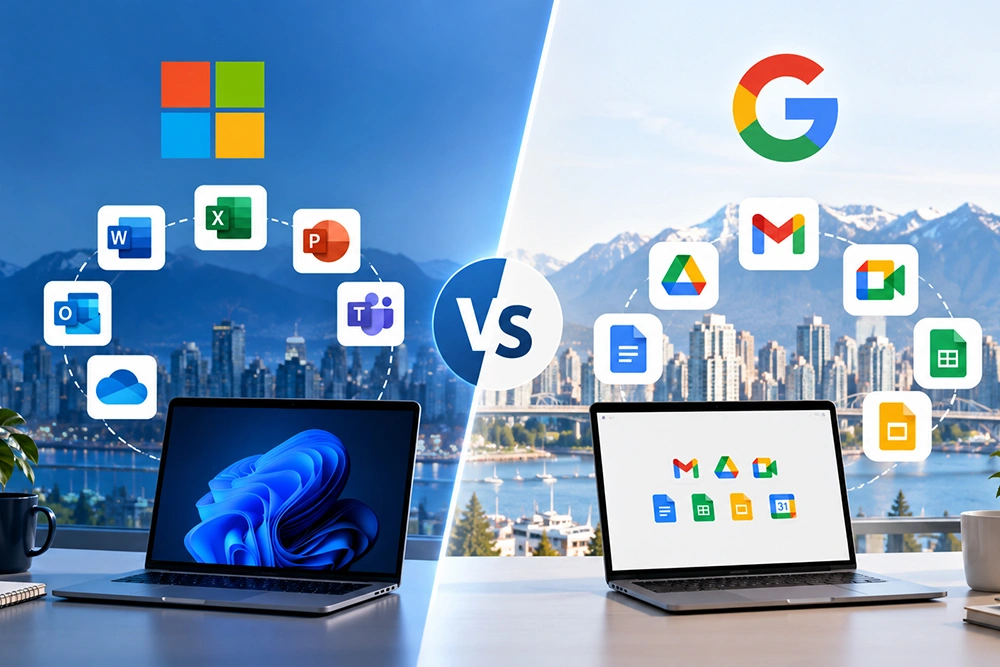
Businesses in need of more sophisticated compliance capabilities, desktop applications, and domestic data storage may prefer to use Microsoft 365, while small and medium enterprises can benefit from the collaboration and cost-effectiveness of Google Workspace. For Metro Vancouver, the choice between Google and Microsoft depends on the teams’ habits and specific compliance requirements.
Microsoft 365 vs Google Workspace at a Glance
Both provide email, file storage, video conferencing and office productivity applications in a monthly subscription. However, the fundamental difference between the two lies in the philosophy of their design. Microsoft 365 is focused on empowering organizations looking for the richest suite of productivity apps at an affordable price with extended administrative power. Google Workspace is designed to offer an enterprise-grade cloud-based productivity suite that is light on the infrastructure and less intensive for the administrators.
For a company based in Metro Vancouver, the choice between the two often does not concern which is objectively better but rather which of the two has a set of features that fits the organizational need and regulatory requirements.
Pricing Comparison
Pricing on both platforms is quoted in US dollars per user, per month, on an annual commitment, with a discount built into that annual rate compared to paying month-to-month. Canadian businesses should expect actual invoicing in CAD (via a reseller or through currency conversion at checkout), plus applicable taxes.
Microsoft 365 Plans & Pricing
Following Microsoft's July 2026 commercial price update, current Business plan pricing (annual commitment, USD) is:
- Business Basic — around $7/user/month: web and mobile Office apps, Exchange email, Teams, and core cloud services
- Business Standard — around $14/user/month: adds full desktop app installs (Word, Excel, PowerPoint, Outlook)
- Business Premium — around $22/user/month: adds Microsoft Intune device management, Microsoft Defender for Business, and Conditional Access — notably, this tier didn't see a price increase in the July 2026 update
Copilot AI is a separate add-on on top of any Business plan, rather than bundled in.
Google Workspace Plans & Pricing
In terms of pricing schemes, Google Workspace (annual commitment, USD) offers the following:
- Business Starter – about $7 per user per month, business email, 30 GB of pooled storage, and meetings with up to 100 participants
- Business Standard – around $14 per user, 2 TB of pooled storage, and meetings with up to 150 participants, and eSignature
- Business Plus — around $22/user/month: 5TB pooled storage, enhanced security and eDiscovery controls
- Enterprise — custom pricing, unlimited storage and advanced governance
Unlike Microsoft, Google now bundles its Gemini AI assistant into all paid plans at no extra charge, which shifts some of the cost comparison in Google's favour if AI tools are a priority.
At the first two levels (Basic/Starter and Standard), there is little difference between the two platforms in terms of the list price. However, the content of the products determines their value.
Feature-by-Feature Comparison
Email & Calendar
Both platforms offer good business email services, with custom domain names. For companies that heavily rely on shared mailboxes and other Outlook features, as well as advanced calendar management, Exchange Online (the Microsoft version) is slightly more appropriate. For companies that don't use Outlook tools and processes extensively, however, Gmail (Google) seems like a more effective, lightweight collaboration and productivity tool.
File Storage & Collaboration
SharePoint / OneDrive vs. Google Drive
Microsoft allows separating storage and collaboration, which is particularly useful for organizations. The company has dedicated products for individual and shared storage, and these are equipped with different collaboration features. The Office 365 suite offers a greater array of tools to handle access rights and structured storage of documents than does Google Drive. The entire learning curve, however, is steeper and thus adoption is more difficult for average users. Google Drive, on the other hand, is more user-friendly, but it has less collaborative and management features.
Most organizations that already use network drives and Windows workstations would prefer the Microsoft solution since it does not require additional training. Users already interact with such systems as they work with network folders on their computers. In contrast, people who predominantly work in browsers on Chromebooks or Windows bookend would find Google Drive easier to use and collaborate.
Video Conferencing
Microsoft Teams vs. Google Meet
Teams is more of a heavier application where chats, file sharing, meetings, and other features can be organized in one place, which might be suitable for those who want to create their professional communication platform. Google Meet, in turn, is a lighter application focused on meetings and prioritizes scheduling meetings through Calendar and Gmail over other functions. The preference to Google Meet can be justified for those who already use other messaging services for business communication, as it causes lesser degree of organizational overlap.
Security & Compliance
PIPEDA and data residency considerations
Under Canada's federal private-sector privacy law (PIPEDA), there is no legal requirement for commercial data to be maintained within Canada; businesses may use foreign data providers so long as equivalent levels of protection are maintained and that the business is accountable for the personal information it collects and maintains under its control. That said, industry-specific requirements (health-related data, selected public-sector contracts) and client or contractual requirements often drive businesses in Vancouver towards preferring Canadian data residency regardless of the federal minimums, and Quebec's Law 25 adds additional considerations for organizations operating with or serving Quebec residents.
Canadian data centre availability (Microsoft vs. Google)
Microsoft 365 currently offers the more mature Canadian data residency program of the two platforms. Core workloads — Exchange Online, SharePoint, OneDrive, and Teams — can be pinned to Canadian data centres in Toronto (Canada Central) and Quebec City (Canada East), with an Advanced Data Residency add-on extending coverage to additional services. It's worth noting this controls where data sits at rest, not whether it's ever subject to US legal process, since Microsoft remains a US-incorporated company.
Google Workspace's data region controls are comparatively less granular for Canada specifically: administrators can choose between the US, the EU, or "no preference" as a broad data region, without a dedicated Canada-only toggle in the standard Workspace admin console. Google does offer a Montreal-based Google Cloud region for more advanced, custom architectures, but that typically requires additional technical setup rather than being a standard Workspace admin setting.
For businesses where Canadian data residency is a hard requirement — a bank, a public-sector contract, a healthcare-adjacent client — this is often the single deciding factor in the comparison.
Which Platform Fits Which Type of Business
Best for Professional Services Firms
Law firms, accounting practices and consultancies in Metro Vancouver tend to prefer Microsoft 365, Business Premium plan, as the collaboration platform of choice. The productivity suite, combined with SharePoint’s document management and Intune mobile device management, addresses their compliance and confidentiality needs.
Best for Manufacturing & Distribution
Manufacturing and distribution companies have a hybrid workforce comprising administrative and frontline or warehouse personnel. Microsoft 365 frontline worker plans and closer integration with Windows-based inventory and ERP systems would likely be more practical choices, with smaller distributors favoring Google Workspace’s less complex alternative.
Best for Nonprofits
Both providers also offer discounted or even free nonprofit tiers (Microsoft 365 Nonprofit plans and Google Workspace for Nonprofits), so this criterion might be less relevant in some cases. For an organization without a dedicated IT department, Google Workspace’s administration console is reportedly easier to manage by a small team of volunteers in day-to-day operations.
Migration Considerations
Switching from Google Workspace to Microsoft 365
Migrating from Google Workspace to Microsoft 365 usually involves migrating Gmail to Exchange Online, Google Drive to OneDrive/SharePoint and training office suite users on desktop based Office and Microsoft Teams. User training may be needed for SharePoint permissions model if the domain previously relied on more flexible Google Drive sharing permissions.
Switching from Microsoft 365 to Google Workspace
Moving the other way generally consists of migrating Exchange mailboxes to Gmail and SharePoint/OneDrive content into shared Drives. Teams used to having complex Outlook rules, PST archives, or deep SharePoint site hierarchies should allow additional time for this process, as Drive's architecture does not directly correspond to SharePoint's sites and libraries.
In both directions, plan for a parallel-run period, a clear cutover date, and dedicated time for staff training — most disruption in these migrations comes from workflow habits, not the technical transfer itself.
How SuperCloud Helps You Decide
Choosing between Microsoft 365 and Google Workspace isn't a decision to make from a pricing page alone. The right call depends on your existing IT environment, your industry's compliance requirements, and how your team actually works day to day. SuperCloud works with Metro Vancouver businesses to assess these factors directly, plan a migration path where needed, and manage the platform on an ongoing basis — so you're not left reverse-engineering admin consoles on your own.
If you're weighing Microsoft 365 vs Google Workspace for your business, get in touch with SuperCloud for a straightforward recommendation based on your specific setup.
FAQs
A: Google Workspace's entry-level plans are typically slightly cheaper per user, but total cost often evens out once security add-ons are included on either platform.
A: Yes — a planned migration with mailbox, file, and calendar mapping can move all data across with minimal disruption when scheduled outside business hours.
A: Both platforms offer compliance tooling; Microsoft 365 has broader enterprise-grade compliance and data-residency controls that suit regulated industries.
A: Microsoft 365 has historically been more common among established Metro Vancouver SMBs, while Google Workspace is popular with newer, collaboration-first teams.